Realistic Lab for Red Team CCRTS Exam Preparation
Prepare for the CREST CCRTS exam with CCRTS-Lab, a modular AWS red-team environment that deploys in under 10 minutes. Built with Terraform and Ansible, it includes Kali, Windows, AD, and ELK logging. Explore the full guide with diagrams and setup steps.
We’re excited to introduce CCRTS-Lab, an open-source, modular AWS red-team training environment built to mirror the candidate-side setup used in the CREST Certified Red Team Specialist (CCRTS) exam, including the official CREST provided workstations.
The project provides a full Infrastructure-as-Code setup using Terraform and Ansible, now publicly available in our GitLab repository and ready for deployment, customization, and hands-on practice.
GitLab Repository: https://gitlab.com/spark42/ccrts-lab

Why We Built CCRTS-Lab
For readers unfamiliar with it, the CREST Certified Red Team Specialist (CCRTS) certification is a globally recognised qualification that validates a practitioner’s ability to plan and execute threat-intelligence-driven, real-world attack simulations against enterprise environments. These simulations are a core requirement in frameworks such as CBEST (mandated by the Bank of England) and are increasingly important under DORA, where CCRTS is one of the key competencies organizations are expected to look for when selecting TLPT providers.
CCRTS replaced the older CCSAS title and reflects modern terminology and threat-led testing practices.
Preparing for this exam is challenging. It focuses heavily on your ability to operate under pressure using your own workstation, your own workflow, and your ability to navigate realistic attack paths end-to-end. While CREST provides official Linux and Windows AMIs for the exam workstations, candidates still lack a safe and realistic environment around those machines to practice tunneling, AD attacks, logging visibility, and the operational rhythm of moving between a Kali and Windows workstation.
CCRTS-Lab was built to fill exactly that gap. It provides an isolated, reproducible, AWS-based attacker environment that mirrors the CCRTS workstation setup without attempting to replicate CREST’s internal exam network. It offers a complete attacker-side playground—Kali, Windows, AD, ELK—so candidates can train the way they plan to operate during the exam.
Architecture at a Glance
The lab uses a simple and secure AWS topology:
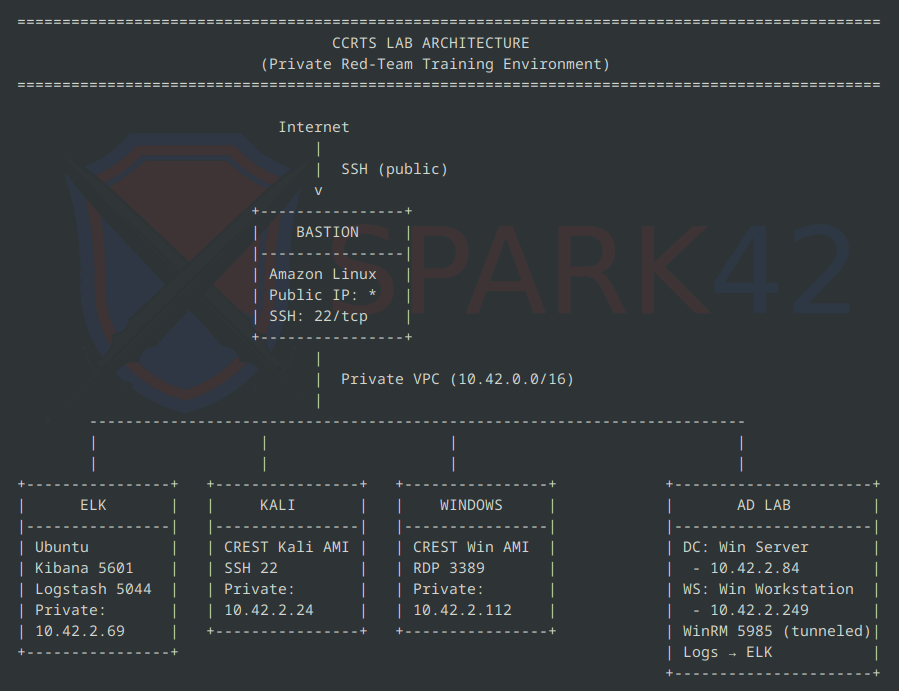
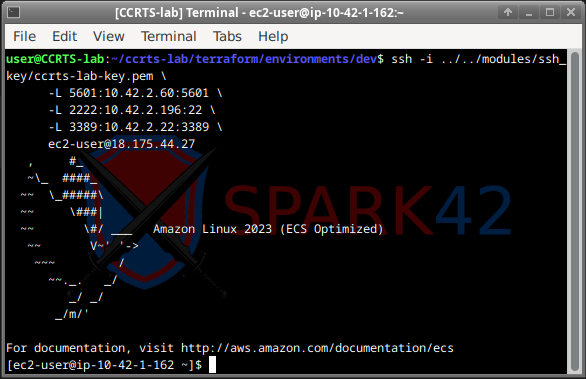
Bastion Host
The only instance with a public IP.
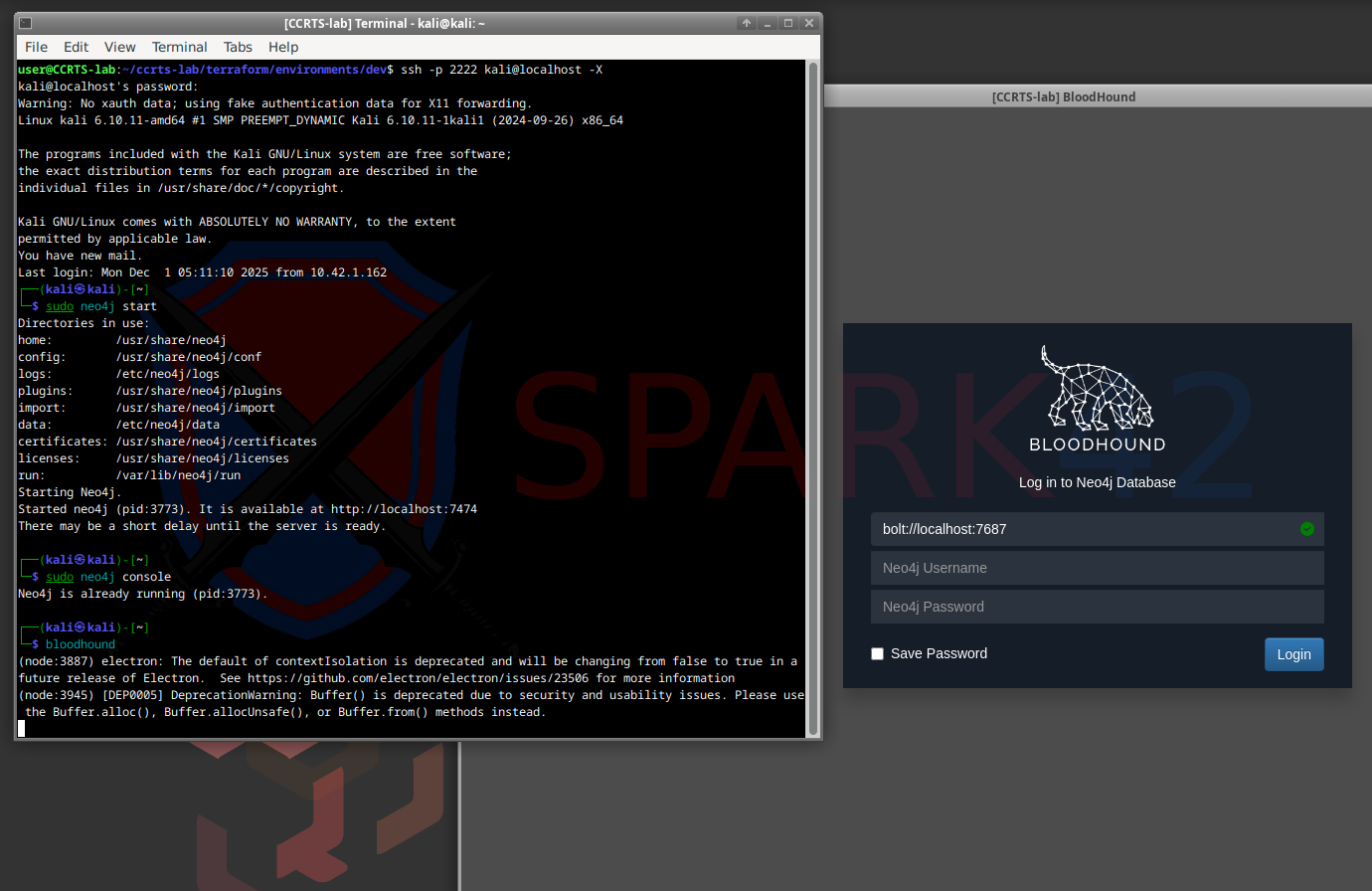
Kali Workstation
Lives in a private sub-net, accessed via SSH tunneling.
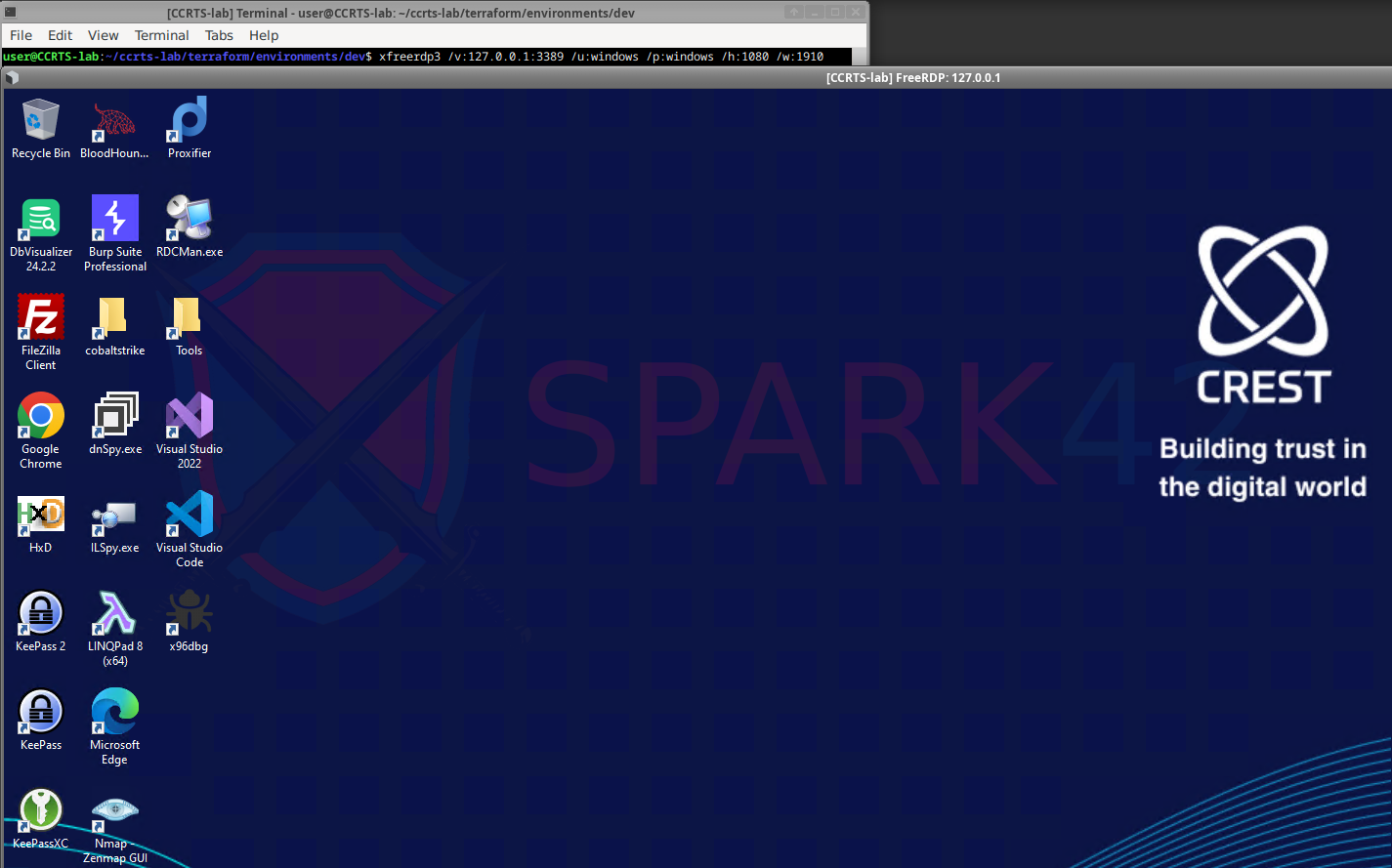
Windows Workstation
Also private-only. Accessed through an RDP tunnel via the Bastion.
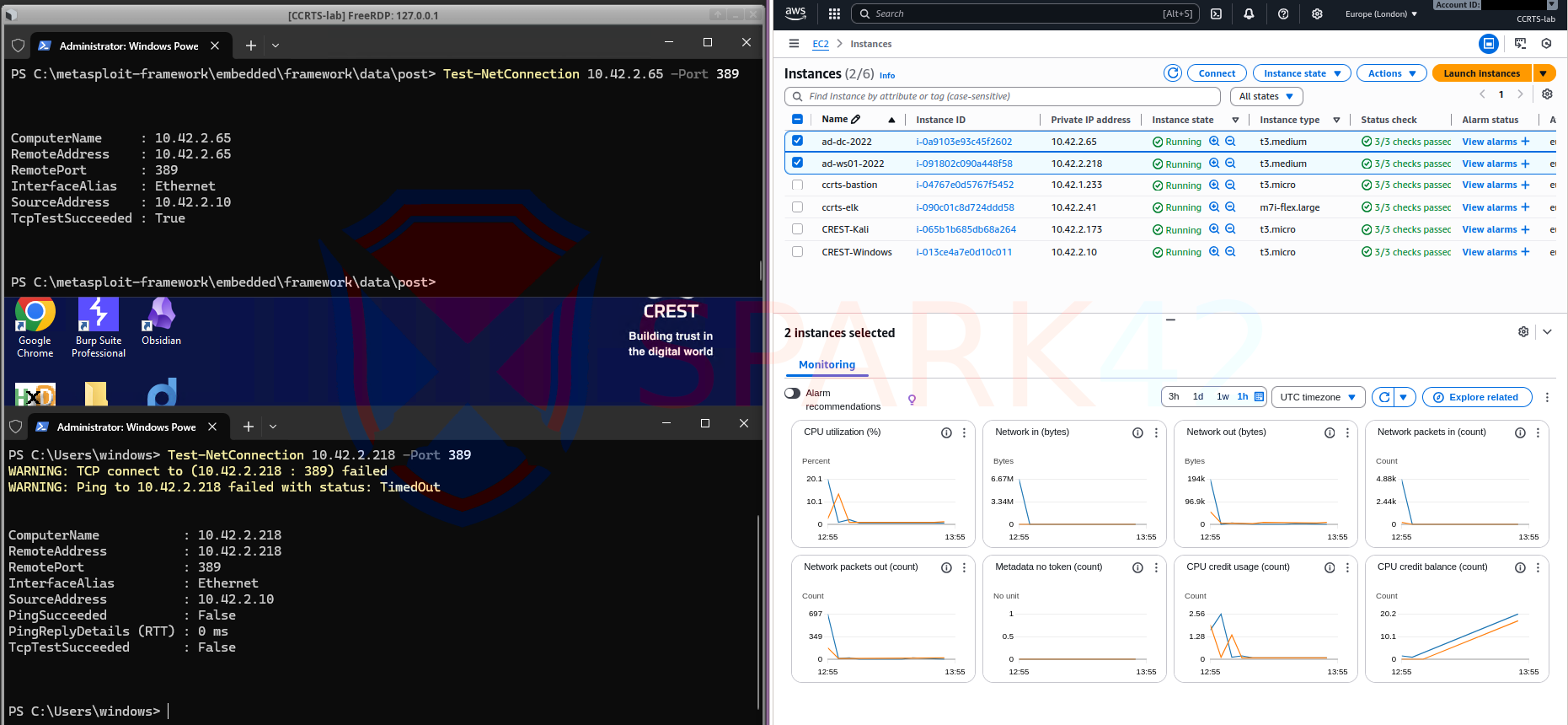
Active Directory Lab
A Windows Server Domain Controller and domain-joined Windows workstation, reachable through WinRM tunnels. Both ship logs to ELK.
ELK Stack
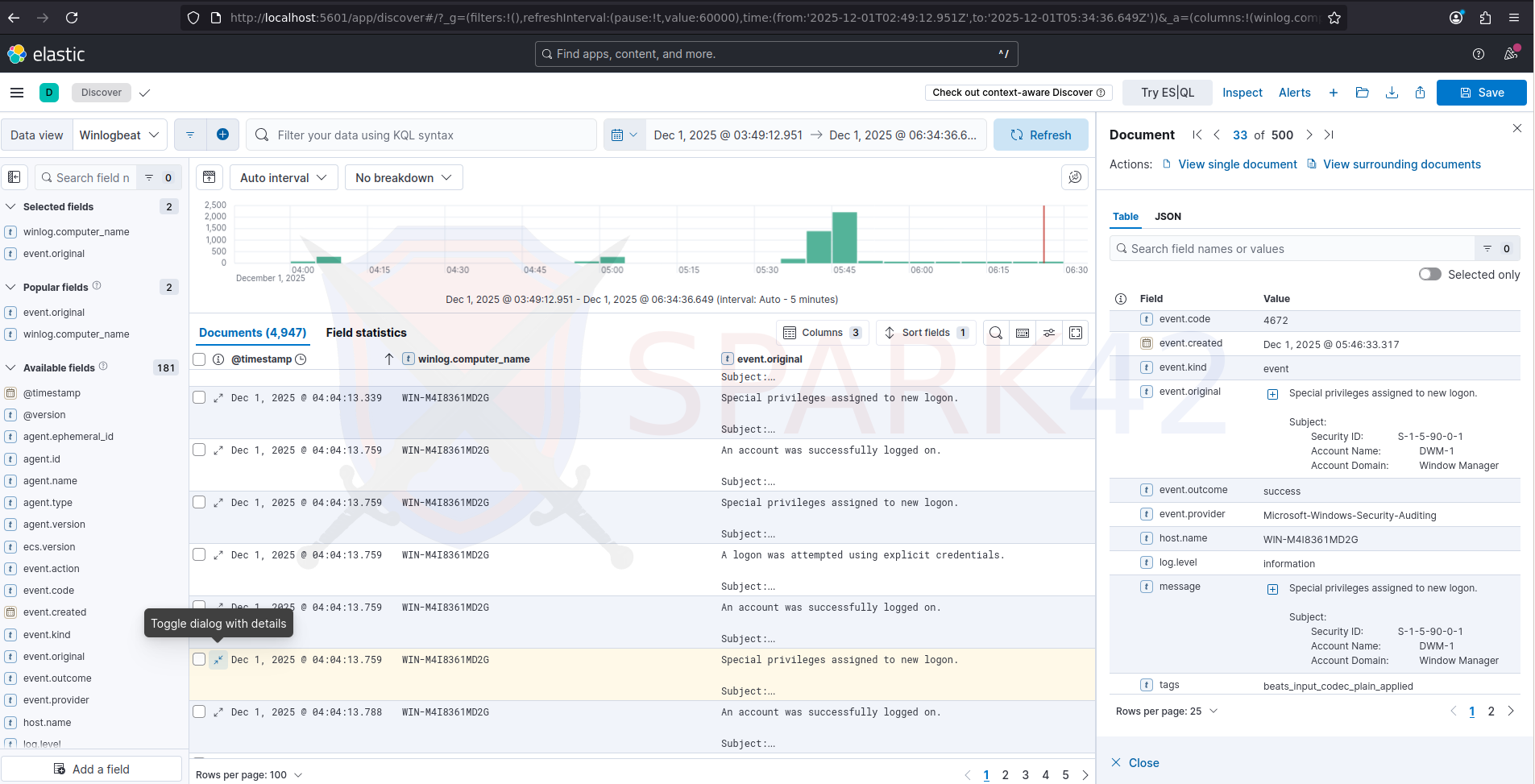
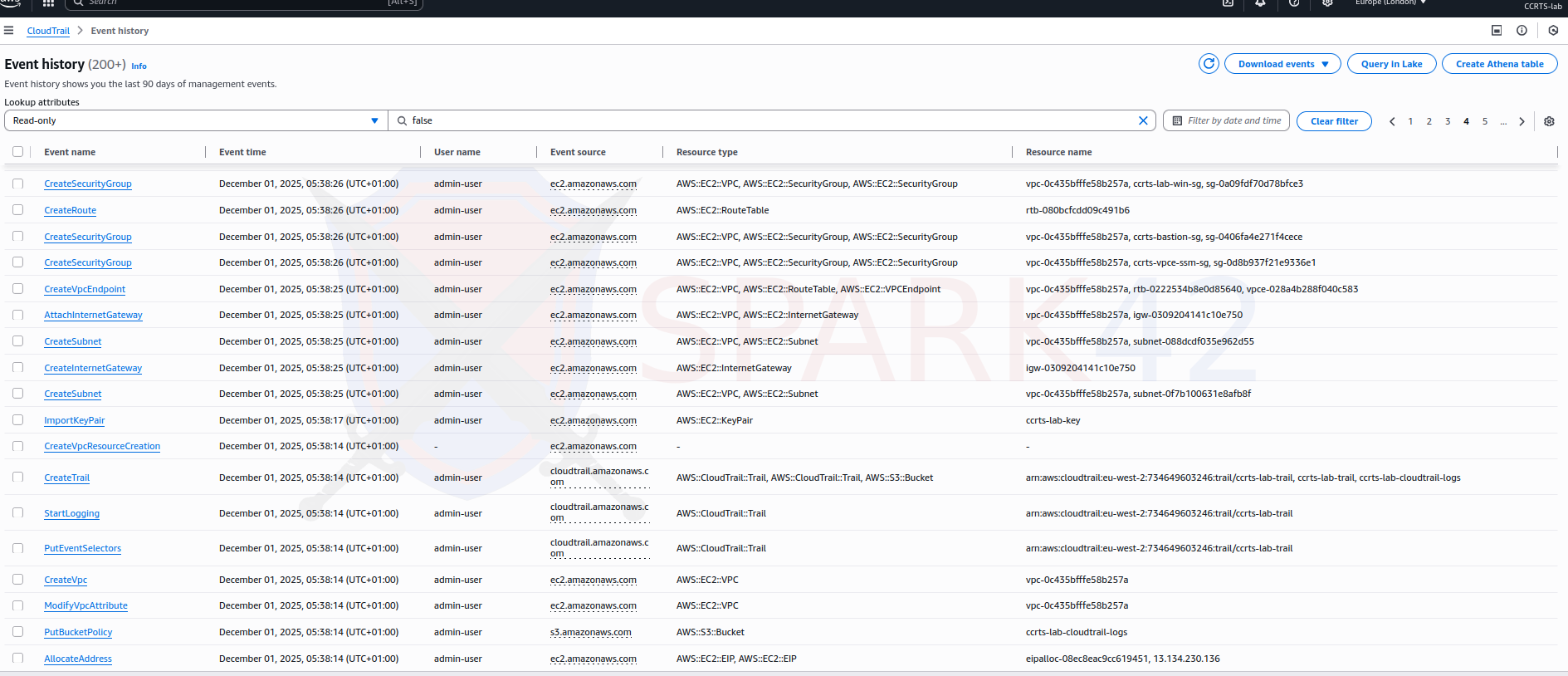
AWS CloudTrail logging
Watching deployment calls, instance launches, security group changes and IAM activity.
Flexible Access Controls
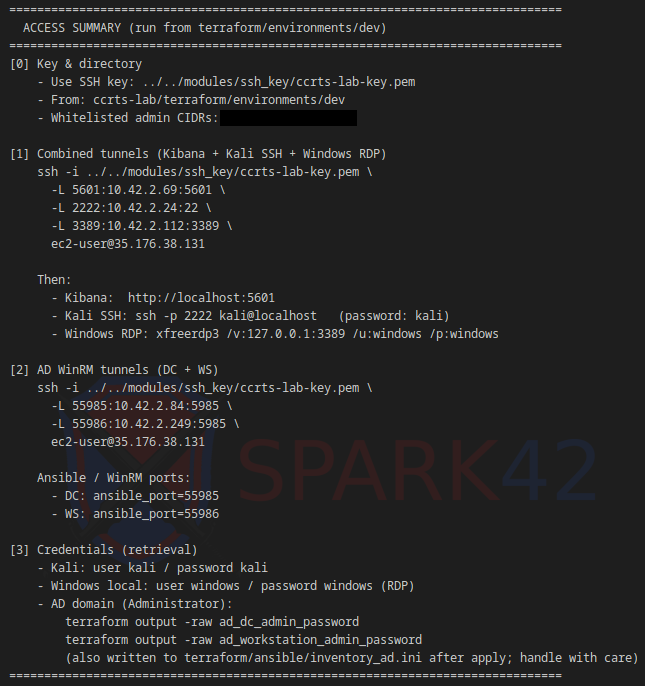
Terraform auto-detects your public IP and whitelists it (/32). You can override it or add additional CIDRs for teammates.
Terraform prints a detailed access summary showing all allowed CIDRs and ready-made SSH tunnel commands:
Modular by Design
The repository is structured so you can add new targets cleanly:
- Add a module under
terraform/modules/<new_target>/ - Attach it to the existing VPC and security groups
- Output its IP, ports, and recommended tunnels
- Optionally add Ansible provisioning
This allows you to create custom Windows targets, Linux services, vulnerable apps, phishing C2 simulations, or anything else your red-team training needs.
Deployment Overview
Modular layout for environments and targets:
ccrts-lab/terraform/
├── ansible/              # Ansible playbooks for ELK + AD provisioning
│
├── modules/              # Reusable Terraform building blocks
│   ├── ad_lab/           # Domain Controller + AD workstation
│   ├── bastion/          # Public SSH jump host
│   ├── cloudtrail/       # AWS CloudTrail logging
│   ├── crest_instances/  # Kali + Windows CREST AMI workstations
│   ├── logging/          # ELK stack (Elasticsearch, Logstash, Kibana)
│   ├── ssh_key/          # Key pair generation for the lab
│   ├── vpc/              # Core VPC, subnets, routing
│   └── vpc_endpoints/    # Private endpoints for AWS services
│
└── environments/         # Concrete lab deployments
    ├── ansible/          # (optional) environment-specific Ansible
    └── dev/              # Main env: providers, backend, templates
Steps to deploy (Debian 12 recommended):
- Install Terraform, AWS CLI v2, Ansible (pipx), and freerdp3
- Clone the repository
- Initialize Terraform
- Apply and wait for AWS provisioning
Terraform outputs all access information, including SSH keys, tunnels, and private IPs.
The complete source code, modules, and instructions are available here:
GitLab Repository: https://gitlab.com/spark42/ccrts-lab
Security Considerations
This is a disposable lab environment intended solely for CCRTS preparation and red-team practice. Several important warnings apply:
- AD administrator passwords are stored in plaintext in local inventory files and in the Terraform state
- Default CREST's AMI credentials (kali/kali, windows/windows) should be changed for any long-running deployment
- The AD DSRM password is hardcoded and should be replaced
- Keep the Terraform backend private
- Respect licensing rules for CREST-provided AMIs
Treat the environment as ephemeral and untrusted by design.
Final Thoughts
CCRTS-Lab provides a powerful and realistic way to train for the CCRTS exam. It gives you a safe environment to practice tunneling, AD engagements, log analysis, workstation workflows, and end-to-end offensive operations exactly the way you’ll perform them during the exam.